
The first day with a new class is always a little awkward. Students sit quietly, nobody wants to speak first, and the teacher needs something that breaks the silence without putting anyone on the spot. That is exactly what baamboozle icebreaker games are for. They turn introductions into a game the whole class plays together on one shared screen, so nobody has to stand up alone.
Baamboozle works so well for icebreakers because the format does the hard work for you. The teacher opens one game on the classroom screen, students split into teams, and everyone answers together. There is no app for students to install and no login for them to remember. A question appears, teams talk it over, and someone picks a tile, while the questions help students learn each other’s names and interests.
The games in this guide all run in ten to twenty minutes, most with zero preparation. Some use public games that already exist on the platform, and others take five minutes to build. All are low-risk by design: the questions are fun, the answers are never wrong, and shy students take part through their team instead of speaking alone.
What Makes a Good Baamboozle Icebreaker
Not every quiz works as an icebreaker. A good one follows a few simple rules, and it is worth knowing them before you pick or build a game.
First, the questions should have no wrong answers. “What is your favourite season?” works. “What is the capital of France?” does not, because it turns an icebreaker into a test on the first day. The point is to learn about each other, not to find out who already knows the most.
Second, keep it short. Ten to fifteen questions is plenty. An icebreaker that drags on for forty minutes stops being fun. You can always play a second short game later in the week if the class wants more.
Third, mix fun questions with real ones. Pure jokes are entertaining but students learn nothing about each other. Pure facts are useful but dry. A good mix has a few favourites questions, a few funny either-or questions, and a few gentle personal ones, like a hidden talent or a dream job.
Fourth, protect the shy students. The best baamboozle icebreaker games let a team answer together, so a quiet student can whisper an idea to a teammate instead of announcing it to the room. Avoid any format where one student is singled out to perform.
Fifth, keep the stakes low. Turn the surprise tiles down or off for a first-day game. A team that loses half its points to a surprise tile will remember the loss more than the fun. Save the high-drama settings for later in the term, once the class can laugh about it.
Finally, use the game to learn something useful. The best questions quietly tell you who is confident speaking, what the class is interested in, and which students already know each other. Listen while the teams talk, and you will learn more in fifteen minutes than a week of worksheets would tell you.
12 Baamboozle Icebreaker Games to Try First

These twelve games cover the whole first week. You can run one a day, or pick two or three for a longer first-day session. Each one works as a public game you can search for on the platform, or as a game you build yourself in a few minutes.
1. Two Truths and a Lie
The classic, and still the best. Each student writes down two true facts about themselves and one lie, then the class guesses which one is the lie. On Baamboozle, build it as a quiz: each tile shows three statements about one student, and teams guess the lie. It works because it is personal but safe. Students choose what to reveal, and the lies are usually the funniest part.
2. Would You Rather
Would you rather fly or be invisible? Would you rather have a pet dragon or a pet unicorn? These questions are perfect icebreakers because there is no right answer, everyone has an opinion, and the debates are half the fun. Build a game with fifteen to twenty questions, let teams vote, and give a few seconds after each answer for students to argue their case.
3. Get to Know Me Bingo Tiles
Take the idea of a bingo card and turn it into quiz tiles. Each tile describes a student: “Find someone who has a dog”, “Find someone who was born in another country”, “Find someone who can whistle”. Teams have to work out which classmate matches the clue. This one needs a little preparation, because you need a few facts about your students first, but it gets students talking to each other across the room.
4. Favourite Things Quiz
Favourite food, favourite film, favourite animal, favourite subject, favourite place. Simple questions, but they start real conversations. The trick is to make the answer choices specific enough to be interesting. Instead of “What is your favourite animal?” with dog, cat and bird as the options, use “dog, axolotl, red panda or capybara” and watch the class react.
5. Who Am I: Classmate Clues
Before the lesson, ask each student to write three clues about themselves on a slip of paper. Turn those clues into Baamboozle tiles, one student per tile, and let teams guess who each set of clues describes. This game works best on the second or third day, once students have had a chance to meet.
6. First Day Feelings Check
A feelings check is not really a game, but it works beautifully as one. Build tiles with statements like “I am excited about this year”, “I am a little nervous”, “I already know someone here” and “I am worried about homework”. Teams pick the statement that matches how they feel. It normalises nerves, tells you how the class is feeling, and opens a short, honest conversation without anyone having to admit they are nervous.
7. Dream Job Mix-Up
Each tile shows a dream job, and teams guess which student wants it. Astronaut, vet, game designer, chef, teacher, footballer. It is a gentle way to learn about ambitions, and it leads naturally into conversations about what students want to learn this year.
8. Birthday Line-Up Quiz
Turn the old line-up activity into a quiz. Tiles ask questions like “Whose birthday is closest to today?” and “Who has a birthday in December?” Teams guess, then the real birthday owners stand up or wave. It is light and fun, and by the end the class knows a little more about each other. It also gives you a birthday list for the year.
9. Show and Tell Tiles
Ask students to bring one small object from home, or to describe one object they love. Turn each object into a tile: “Whose object is a football?”, “Who brought something their grandma gave them?” Teams guess the owner. This game works best when the objects are visible, so hold them up as each tile appears.
10. The Name Game
The simplest game on this list, and one of the most useful. Each tile gives a clue about a name: “This name starts with the same letter as a fruit”, “This student shares a name with a famous singer”, “This name means brave in another language”. Teams guess the student. It helps the class learn names fast, which is the real purpose of any first-week icebreaker.
11. Speed Introductions
A fast round where every tile is a quick question: name, favourite colour, one word to describe yourself, your favourite lunch. Teams answer as fast as they can, and the team with the most correct answers after ten questions wins a small, silly prize, like choosing the next game. Short answers, quick turns, lots of energy.
12. Classmate Superlatives
Most likely to make the class laugh, most likely to finish first, most likely to ask a great question, most likely to help a friend. Superlatives are fun, but they need care. Keep every category kind and positive, and avoid anything that singles out a student for something they cannot change.
How to Set Up an Icebreaker Game on Baamboozle
Setting up is simple, and you only need to do it once. If you are new to the platform, start by reading how to play Baamboozle so the game modes and the team setup feel familiar before you build your first icebreaker.
First, decide whether to use a public game or build your own. Search the platform for the game you want, for example “icebreaker” or “two truths and a lie”. There are thousands of public games made by other teachers, and many of them are ready to play as they are. If you find one that is close but not quite right, open it, make a copy, and edit the questions to fit your class.
If you build your own, keep the questions short. One sentence per tile is ideal, and each tile needs three or four answer choices. Write the questions the way students actually speak, not the way a worksheet speaks. “What is your go-to snack?” lands better than a formal, stiff version of the same question.
Next, choose your game mode. The classic quiz mode works for almost every icebreaker. The Memory and Four in a Row modes from Baamboozle+ are also fun, because they slow the game down and give teams more time to talk. For a first-day game, the classic mode is usually best because it is the simplest.
Then set up your teams. Two to four teams work best. More teams mean fewer students per team, which is good for shy students, but it also means the game takes longer. Three teams is a good middle ground for most classes.
Finally, check the surprise tile settings. For an icebreaker, turn the harshest surprise tiles down. Losing points on day one is not the memory you want students to take home. Turn them back up next week, once the class is comfortable.
Before the lesson, run through the game once on your own. Check that every question makes sense, that the answers are correct, and that nothing in the game could embarrass a student. Five minutes of checking saves an awkward moment in front of thirty students.
Icebreaker Games by Age Group
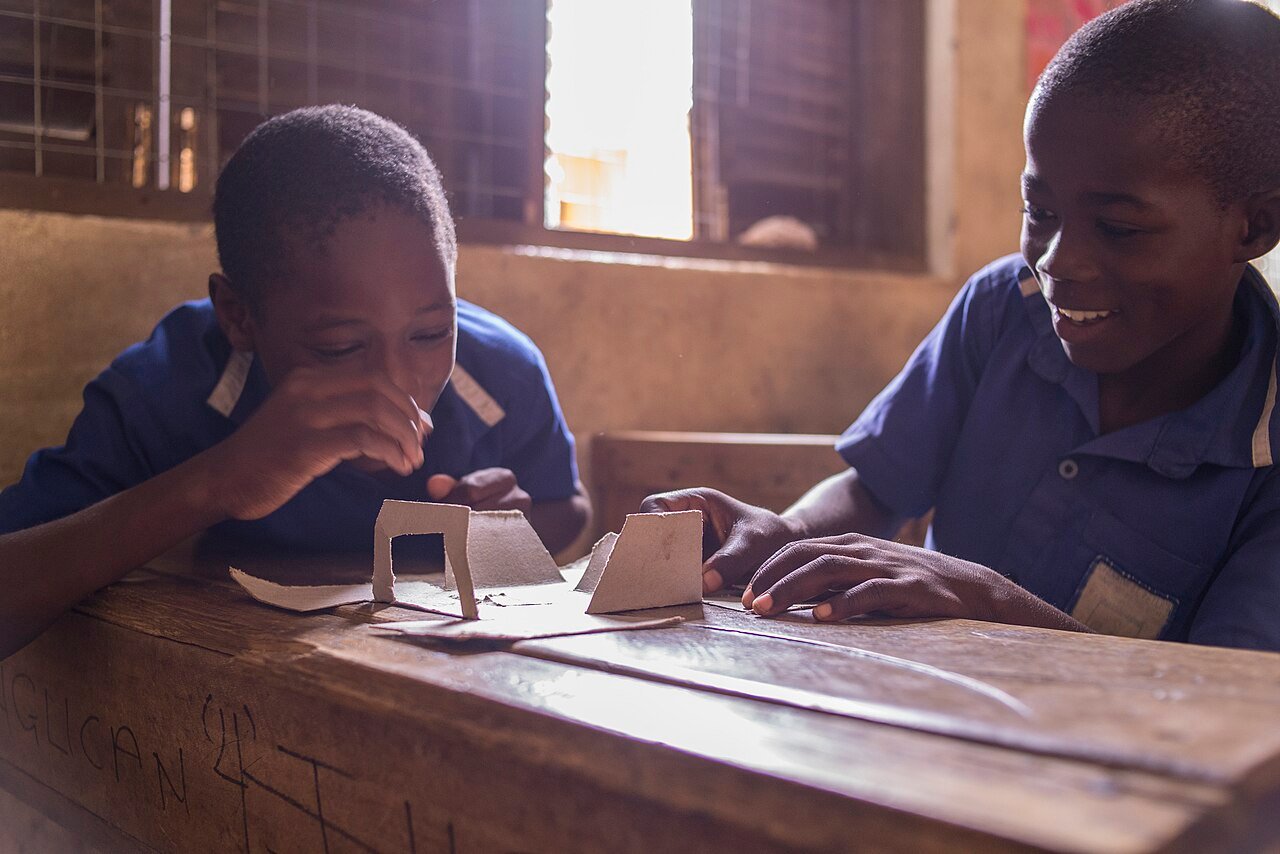
The same game plays differently at different ages, and the questions need to match the students in front of you.
For kindergarten and first grade, keep everything visual and simple. Use pictures where you can, keep questions to one short sentence, and let students answer by pointing or shouting out together. Games like Favourite Things and Show and Tell work beautifully here. Avoid games that need reading long sentences, and avoid any game where a student has to speak alone.
For grades two to five, you can add a little more thinking. Two Truths and a Lie, Would You Rather and the Name Game all work well. Students this age love silly questions and they love guessing about their classmates. Keep the rounds short, because attention spans are short, and use team play so nobody feels put on the spot.
For middle school, the biggest challenge is embarrassment. Students this age are terrified of looking silly in front of their peers. The solution is games where the whole team answers together, so no single student is exposed. Would You Rather and Dream Job Mix-Up work well, because the answers are opinions, not performances.
For high school and adult learners, you can go deeper. Classmate Superlatives, Who Am I and the feelings check all work well, because older students can handle slightly more personal questions. Choose questions with a bit of wit, and a well-made Would You Rather game with genuinely hard choices will get a high school class talking more than any worksheet.
Common Mistakes to Avoid
The most common mistake is making the icebreaker too long. Fifteen minutes of fun is perfect. Forty minutes of introductions is a chore. If the energy drops, stop the game and move on. You can always play again tomorrow.
The second mistake is asking questions that are too personal too soon. Questions about fears or family belong later in the term, when students trust each other. On the first day, stick to favourites, opinions and harmless fun.
The third mistake is letting one confident student dominate. If the same student answers every question, the game is not doing its job. Use team play, rotate who picks the tile, and make a rule that the student who picked the tile cannot be the one who answers it. That small rule changes the whole dynamic.
The fourth mistake is forgetting the quiet students. A team-based game should give them a voice, but only if their teammates actually listen. If you notice a team ignoring its quietest member, step in gently and ask that student for their opinion, in a low-pressure way.
The fifth mistake is turning the first game into a competition. A little friendly competition is fine, but a first-day icebreaker should feel like playing together, not like a contest. Keep the score visible but light, celebrate good guesses rather than wins, and end the game before anyone feels like they lost.
Frequently Asked Questions
What are the best baamboozle icebreaker games for the first day of school?
The best first-day games are Two Truths and a Lie, Would You Rather and the Name Game. They are quick, they have no wrong answers, and they let teams answer together so shy students are never put on the spot. Start with one of these and save the longer games for later in the week.
How do I make my own icebreaker game on Baamboozle?
Search for a public game first, because thousands already exist. If you want your own, create a new game, add ten to fifteen questions with three or four answer choices each, and keep every question to one short sentence. The full steps are explained on the official Baamboozle site, and a copy of a public game can be edited to fit your class in minutes.
How long should a Baamboozle icebreaker game last?
Ten to twenty minutes is ideal — enough time for ten to fifteen questions with a little discussion after each one. Longer than that, students stop listening and the icebreaker stops working. Short games across the first week work far better than one long session on the first day.
Can shy students take part in baamboozle icebreaker games?
Yes, and that is one of the reasons the format works so well. Teams answer together, so a shy student can whisper an idea to a teammate instead of speaking to the whole class. Choose opinion questions rather than performance tasks, rotate who picks the tiles, and never force a student to share something personal in front of everyone.