
Here’s the honest truth about Goodnotes vs Notion: they’re barely the same kind of app. One is a digital notebook that feels like paper. The other is a database that happens to hold notes. Asking which one is better is a bit like asking whether a pen or a filing cabinet is better — it depends entirely on what you’re trying to do.
I used both for a full month. Goodnotes on an iPad with an Apple Pencil for lecture notes, and Notion on a laptop for planning, writing, and tracking projects. By the end of it, I had a clear answer — and it’s probably not the one you’d expect. This guide compares them the way you’d actually use them: writing, organizing, searching, sharing, and paying for them. That is the goodnotes vs notion question, answered the practical way.
The short answer on Goodnotes vs Notion
If you take notes by hand — lectures, meetings, math problems, anything with diagrams — get Goodnotes. Nothing else feels this close to paper, and the handwriting search is genuinely good.
If you type your notes, plan projects, or need a workspace your whole team can live in, get Notion. It’s free for personal use, it runs on everything, and its databases do things a notebook app can’t even attempt.
If you do both? That’s most students, honestly. Keep reading, because the answer gets more interesting — and cheaper — than you’d think. The goodnotes vs notion answer is rarely either-or.
What Goodnotes actually is
Goodnotes started in 2011, built by Steven Chan in London, and it has one job: make an iPad feel like a stack of paper notebooks, only better. You write with a stylus, and the app turns your handwriting into something you can search, rearrange, and export.
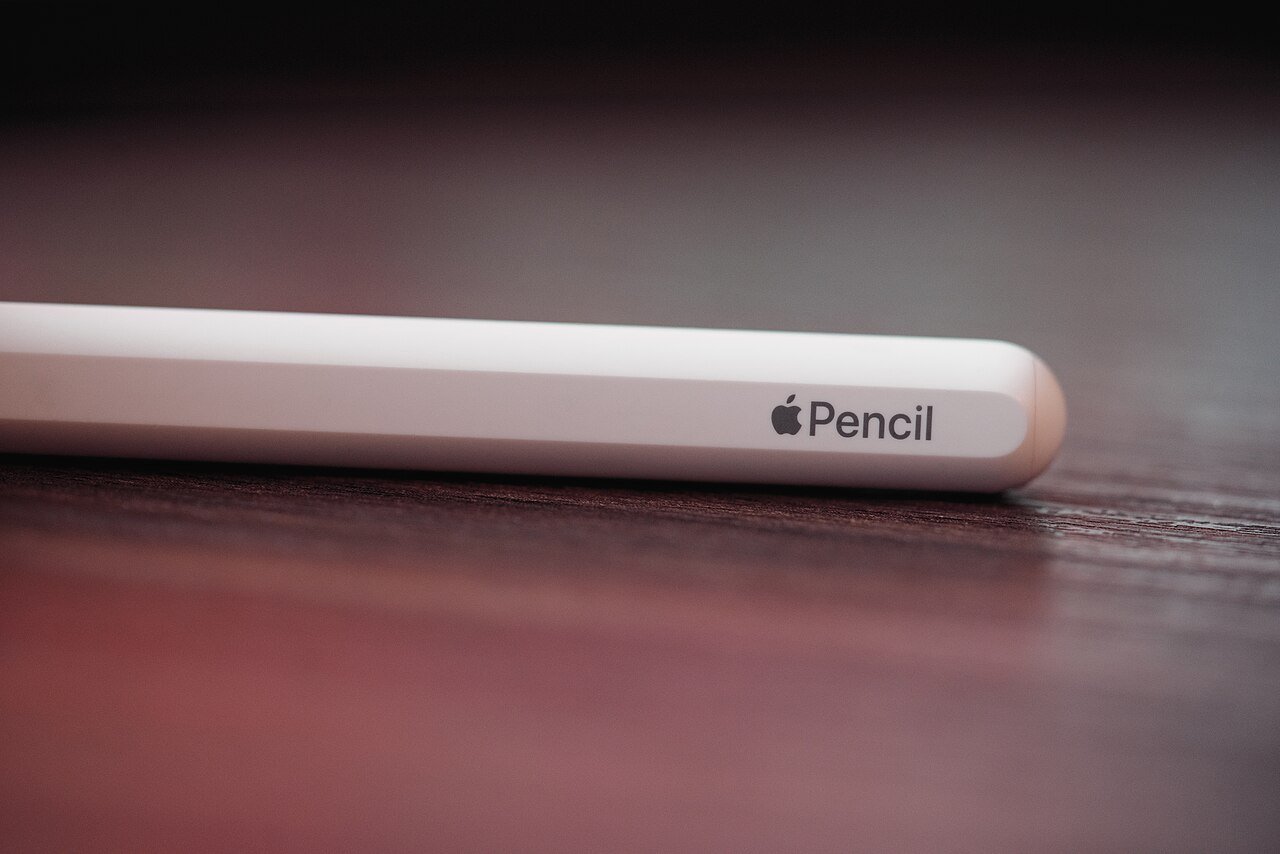
The writing feel is the whole point. The pen has just enough friction to feel natural, the ink looks like ink rather than a computer font, and you can pick from lined, dotted, grid, or blank paper — or import your own templates. Students use it for lecture notes. Doctors annotate patient forms. Lawyers mark up contracts. It’s the app people reach for when the work involves a pen.
Then there’s the PDF side, which is where Goodnotes quietly earns its keep. Import a 200-page textbook or a stack of lecture slides, write all over them, highlight, and search your own handwriting later. The app reads your handwriting — including messy handwriting, in my experience — and lets you find a word you wrote three months ago in about two seconds. That’s the feature that sells it.
Goodnotes runs on iPad, iPhone, Mac, Android, Windows, and the web now, but let’s be straight: it’s an iPad app first. Everything else is a companion. Without a stylus, you lose the thing that makes it special. The free tier gives you three notebooks, which is enough to know whether you like it. After that, Essential costs USD 11.99 a year, Pro costs USD 35.99 a year, and there’s a one-time payment of USD 28.99 that gets you the app for good. An optional AI Pass at USD 9.99 a month adds handwriting-to-text conversion, math help, and deeper AI features.
One thing to get right: it’s spelled Goodnotes. One word, lowercase n. The company is picky about it, and you’ll see “GoodNotes” all over the internet anyway.
What Notion actually is
Notion is a workspace. That’s the word the company uses, and it’s the right one. It holds documents, wikis, task lists, calendars, and databases, all in one place, and everything links to everything else.
You type in blocks. A paragraph is a block. A heading is a block. A to-do list, a table, an image, a toggle — all blocks. You can drag them around, nest them, and turn a simple page into a project tracker with a few clicks. That sounds abstract until you use it: imagine a reading list that is also a database, where each book has a status, a rating, and a finish date, and you can filter it to show only the books you haven’t finished. That’s Notion.
It’s built for teams as much as for individuals. You can share a page with a colleague, comment on it, assign tasks, and watch it update in real time. Small startups run their whole company on it. Students use it to plan semesters. Writers use it to organize drafts. It’s the digital equivalent of a very organized office, and it runs on the web, Windows, Mac, iOS, and Android.
The free plan is generous for one person: unlimited pages and blocks, with 5 MB file uploads and a 7-day page history. Plus costs USD 10 per member a month on annual billing (USD 12 month to month) and adds unlimited uploads, a 30-day history, and more. Business is USD 20 per member a month on annual billing (USD 24 monthly) and is the first plan with full Notion AI — Free and Plus only get a trial of the AI features. Students and educators get Plus free with a school email. Enterprise pricing is custom.
Goodnotes vs Notion: handwriting against typing
This is the real divide, and it’s not close.
In Goodnotes, you write. The Apple Pencil glides, the ink flows, and your notes look like yours. For math, chemistry, diagrams, or anything where you need to sketch a quick shape, there’s no substitute. Typing an integral or a molecule is a miserable experience; writing it takes two seconds. Goodnotes also lets you write directly on PDFs, which matters more than it sounds — most lecture slides and textbooks arrive as PDFs, and annotating them in place beats retyping them every time.

In Notion, you type. And typing has its own advantages: it’s faster, it’s searchable from day one, and it’s easy to restructure. A typed note can become a table, a timeline, or a kanban board in a few clicks. Try doing that with handwriting.
Here’s the thing nobody tells you, though: handwriting helps you remember. There’s actual research behind this — writing by hand forces you to process what you’re hearing instead of transcribing it word for word, which is what most people do when they type. I noticed it myself during the month I tested both. My Goodnotes lecture notes were shorter, messier, and I remembered more of them. My Notion notes were neater, longer, and I remembered less.
That doesn’t make Goodnotes the winner. It makes the two apps good at different jobs. If the goal is understanding, write by hand in Goodnotes. If the goal is organizing and finding things later, type in Notion. That is the real goodnotes vs notion trade-off.
Organizing your notes
Goodnotes organizes like a bookshelf. Notebooks, folders, and a search bar. It’s simple, and that simplicity is a feature — you’ll never get lost in it. The search covers your handwriting, typed text, and PDF text, and it’s fast. But there’s no database, no filter, no “show me every note tagged with this topic from the last three months.” You get folders, and that’s about it.
Notion organizes like a librarian with a spreadsheet habit. Every page can live in a database with properties: status, date, priority, tags, whatever you want. You can create views — a calendar view of your deadlines, a board view of your projects, a table view of your reading list — all from the same data. It’s powerful, and it’s also the reason some people bounce off Notion entirely. Setting it up takes time, and the blank page can be intimidating. There’s a reason Notion has a whole economy of templates: the app gives you the pieces, and you build the system yourself.
For a student with five classes, Goodnotes’ folders are probably enough. For someone juggling a job, a side project, and a content calendar, Notion’s databases start to feel necessary. It comes down to how much structure your life needs.
AI features compared
Both apps have gone big on AI in 2026, and both charge for the good stuff.
Goodnotes’ AI is built around your handwriting. The AI Pass (USD 9.99 a month) converts handwriting to text, solves math you write out, checks spelling in your notes, and lets you ask questions about what you’ve written. The free tier includes a few AI uses a month — five summaries or so — and full AI needs the Pro plan plus the pass. It’s useful, but it’s an add-on, not the main event.
Notion’s AI is bigger and more central. On the Business plan (USD 20 per member a month), you get Ask Notion, which searches across your whole workspace and answers questions; Notion Agent, which handles multi-step tasks on its own; and AI Meeting Notes. The catch is the price. Notion retired its standalone AI add-on, so if you want the full AI suite, you’re paying for Business. Free and Plus users get a short trial and nothing more. That’s a real consideration: Notion AI costs twice the Plus plan.
My take: neither app’s AI is the reason to pick it. Goodnotes’ AI is a nice extra on top of great handwriting. Notion’s AI is powerful but expensive. Pick the app for what it does without AI, and treat the AI as a bonus. In a goodnotes vs notion comparison, AI is a bonus, not a deciding factor.
Working together and syncing
Goodnotes syncs across your devices through iCloud, and Pro adds sync across platforms. Sharing exists — you can share a notebook link or export a PDF — but collaboration is basic. Two people can’t write on the same page at the same time and watch each other’s ink appear. For most students that’s fine. For a team, it’s a dealbreaker.
Notion is built for sharing. Real-time collaboration, comments, mentions, permissions, guests — the whole toolkit. A team can live in a Notion workspace the way a family lives in a house. Guests are free on paid plans, which means you can invite a client or a classmate without paying for another seat.
Offline is the flip side. Goodnotes works fully offline — your notes are on your device, and they sync when you’re back online. Notion is mostly online. It has some offline support on mobile and desktop, but it’s limited, and you’ll feel it on a plane or in a dead zone. If you take notes in places with bad wifi, that matters more than any feature list.
Goodnotes vs Notion: price
| Plan | Goodnotes | Notion |
|---|---|---|
| Free | 3 notebooks | Unlimited pages, 5 MB uploads |
| Mid tier | Essential, USD 11.99/year | Plus, USD 10/user/month annual |
| Top tier | Pro, USD 35.99/year | Business, USD 20/user/month annual |
| One-time option | USD 28.99 | None |
| AI add-on | AI Pass, USD 9.99/month | Full AI on Business only |
| Students | No student plan | Plus free with school email |
The math is simple. Goodnotes costs about USD 12 a year for most people, or USD 29 once if you’d rather never think about it again. Notion is free for personal use and USD 120 a year per person for Plus. A student with a school email gets Notion Plus free, which changes the equation entirely — free beats everything. On price, the goodnotes vs notion gap is small for solo users — it only gets big for teams.
One honest note: prices change, and the App Store sometimes shows different prices than the website. Check the current price on Goodnotes’ pricing page and Notion’s pricing page before you pay. If you want to keep your notes backed up wherever they live, our guide to the best cloud storage 2026 is worth a read.
Who should pick which
Pick Goodnotes if you have an iPad and a stylus, you take notes by hand, you work with PDFs, or you’re studying something visual — math, medicine, law, engineering, art. It’s also the right pick if you want to pay once and be done. USD 29, no subscription, no monthly bill to remember.
Pick Notion if you type your notes, you manage projects, you work in a team, or you want one place for everything — docs, tasks, wikis, and databases. It’s also the right pick if you don’t own an iPad, because Notion runs well on any laptop or phone.
And here’s the option most comparisons skip: use both. Goodnotes for lectures and handwriting, Notion for planning and everything else. They don’t compete for the same job, and the pair costs less than a single lunch a month — Goodnotes at USD 11.99 a year and Notion free for personal use. Export your Goodnotes pages as PDFs and drop them into Notion when you need them in one place. That’s what I ended up doing, and it’s the setup I’d recommend to most students. That hybrid setup is the goodnotes vs notion answer I give students most often.
My verdict on Goodnotes vs Notion
If I could only keep one, I’d keep Goodnotes — but only because I take most of my notes on an iPad with a Pencil. The handwriting is that good, and nothing in Notion replaces it. But that’s my workflow, not a universal answer.
The real answer is that this isn’t a fight with a winner. Goodnotes is a notebook. Notion is a workspace. You wouldn’t ask whether a notebook or an office is better — you’d ask what the work needs. Figure out whether you write or type, whether you work alone or in a team, and whether you need folders or databases. The answer falls out of that. That is the goodnotes vs notion verdict in one line: match the app to the work.
FAQs about Goodnotes vs Notion
Can I use Goodnotes without an iPad?
Yes, but it’s not the same app. Goodnotes runs on Mac, Windows, Android, and the web now, but it’s built around a stylus. Without one, you’re tapping and typing, and at that point Notion is the better tool. The iPad is where Goodnotes earns its keep.
Is Notion really free?
For one person, yes. The free plan gives you unlimited pages and blocks, which covers most personal use. You pay when you need bigger uploads, a longer page history, or the full AI features. Students and educators get Plus free with a school email.
Can I move my notes from Goodnotes to Notion?
Sort of. You can export Goodnotes pages as PDFs and attach them to Notion pages, but your handwriting won’t become editable text unless you convert it first. There’s no one-click migration. If you’re switching, plan to keep Goodnotes around for your old notes.
Which is better for students?
It depends on the subject. For math, science, and anything with diagrams, Goodnotes wins. For essays, group projects, and planning a semester, Notion wins. Most students I know end up using both — and with Notion Plus free for students, the pair costs almost nothing. For students weighing goodnotes vs notion, the subject usually decides it.
Quick checklist
- Got an iPad and a stylus? Start with Goodnotes
- Type everything and manage projects? Start with Notion
- Student with a school email? Claim Notion Plus free first
- Try the free tier of each for a week before paying
- Check current prices — App Store and website prices can differ